

From Fragmented to Fast: Transforming Task Tracking
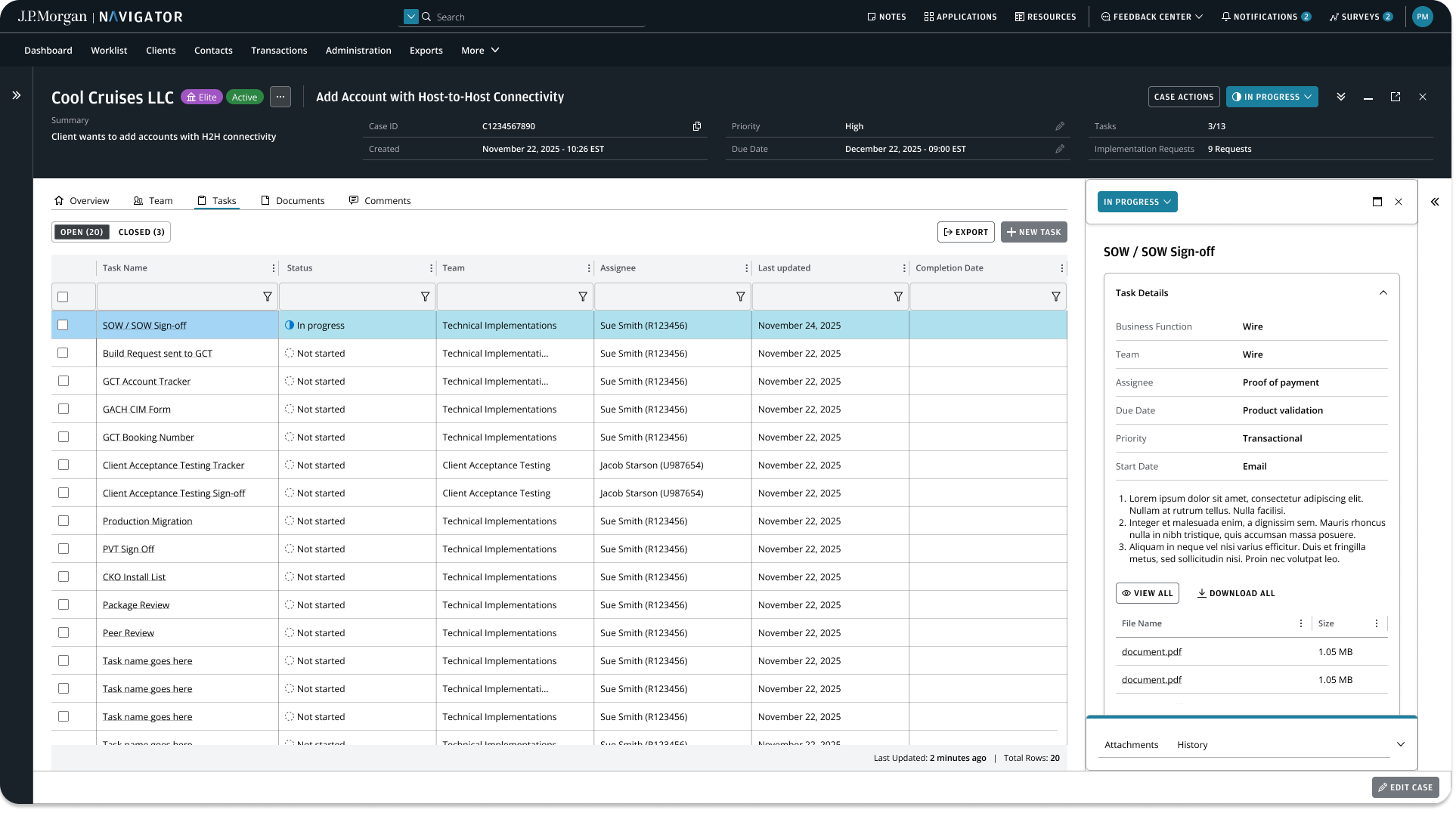
I designed Tasks to enable users to easily manage their project tasks in one place - replacing legacy systems and manual Excel spreadsheets.
Summary
Problem
Technical Implementations teams relied on fragmented legacy systems and manual Excel tracking, resulting in poor visibility, slow and inconsistent task completion, and significant operational overhead.
Solution
Create a centralized, scalable solution that improved visibility, reduced task completion time, and enabled teams to collaborate more efficiently across complex operational workflows.
Who I collaborated with
Product manager, engineers, user researcher, internal stakeholders and users
My role as Design Lead
I led the design initiatives of this new feature from discovery to delivery
Problem
Teams were relying on:
Multiple legacy systems with inconsistent data
Manual Excel tracking, prone to errors and duplication
Limited visibility into project status and ownership
Inefficient onboarding that slowed down time-to-execution
As a result:
Task completion was slow and inconsistent
Stakeholders lacked confidence in project status
Operational teams spent significant time on administrative work instead of execution
Old legacy systems
Excel spreadsheets
“It’s hard to keep track of it all...”
Understanding our users
I interviewed 6 users to learn about their existing workflows and their needs.
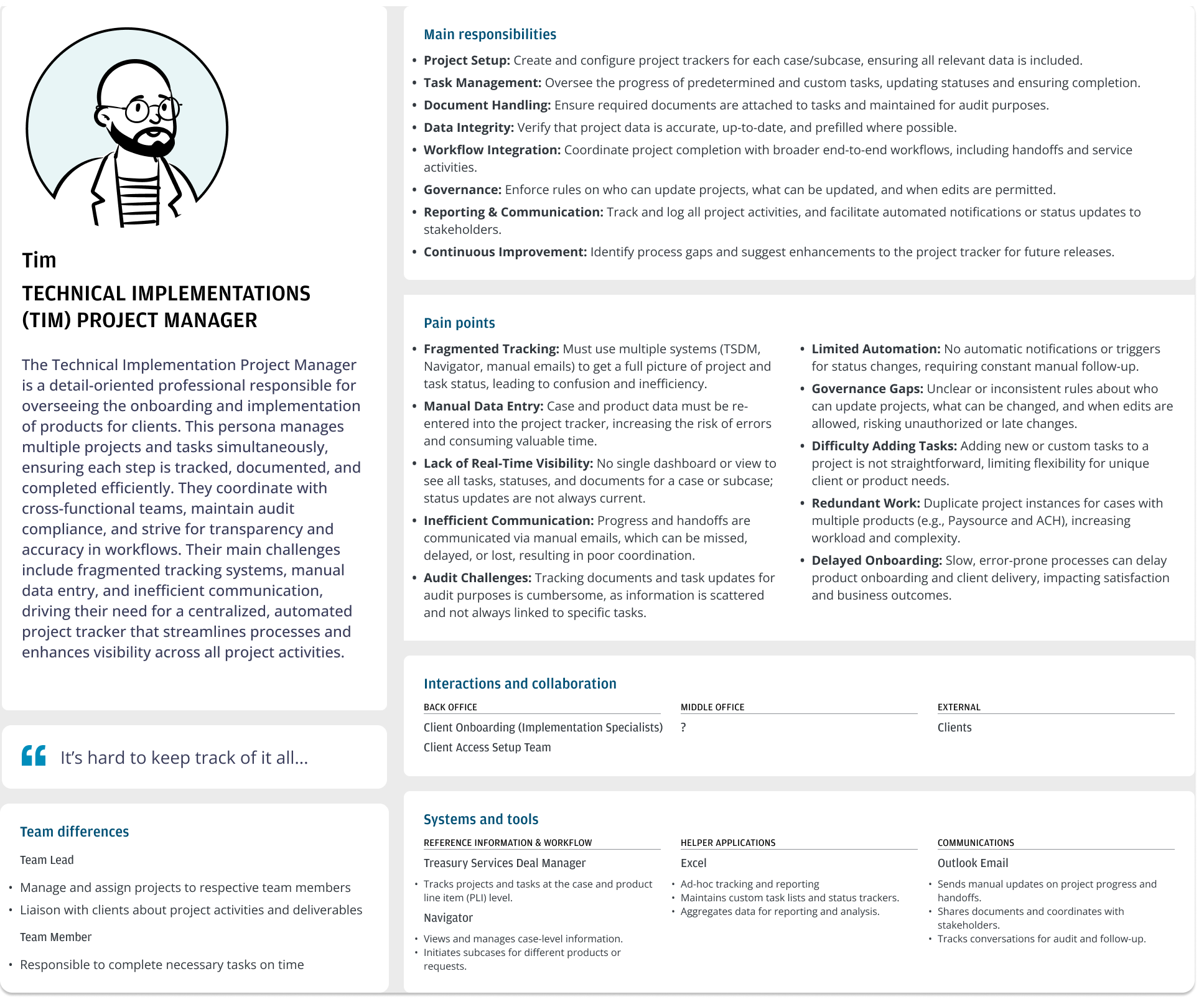
Research methods included:
Stakeholder interviews
Workflow walkthroughs
Review of existing Excel files and legacy systems
Key insights
Version control and ensuring the latest details are up-to-date was one of the biggest issues
Users prioritized speed and clarity over advanced features
Having a centralized place to manage and edit tasks was more important than detailed reporting
Initial solution
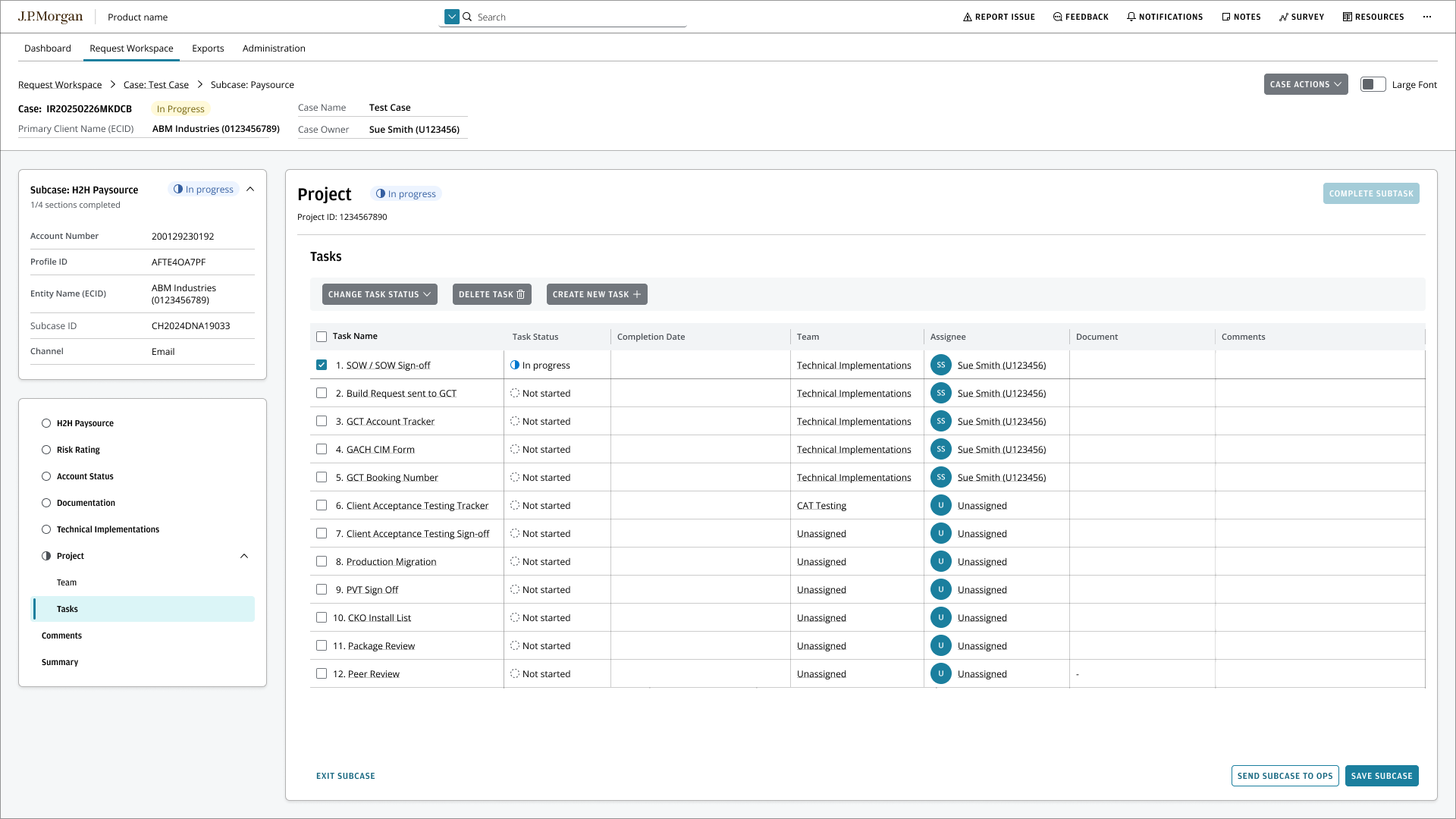
The first design solution was intentionally scoped to fit within Navigator’s existing information architecture, which led us to surface tasks within a Subcase page.
This page consolidated multiple control tasks required across different teams, allowing users to manage work without introducing new navigation patterns.
Usability Testing Insights
Through usability testing with TIM users, we uncovered both strengths and limitations of this approach.
What worked well
Users appreciated being able to complete all required tasks in one place without switching to other systems or Excel.
Linking documents directly to tasks improved traceability and made future reporting easier.
Standardized task interactions helped teams complete work in a consistent and predictable way.
What didn’t work
Users only needed access to their own tasks, and seeing all control tasks within the subcase view created confusion and unnecessary cognitive load.
Opening each task in a dialog disrupted task flow and made it harder for users to move efficiently between tasks.